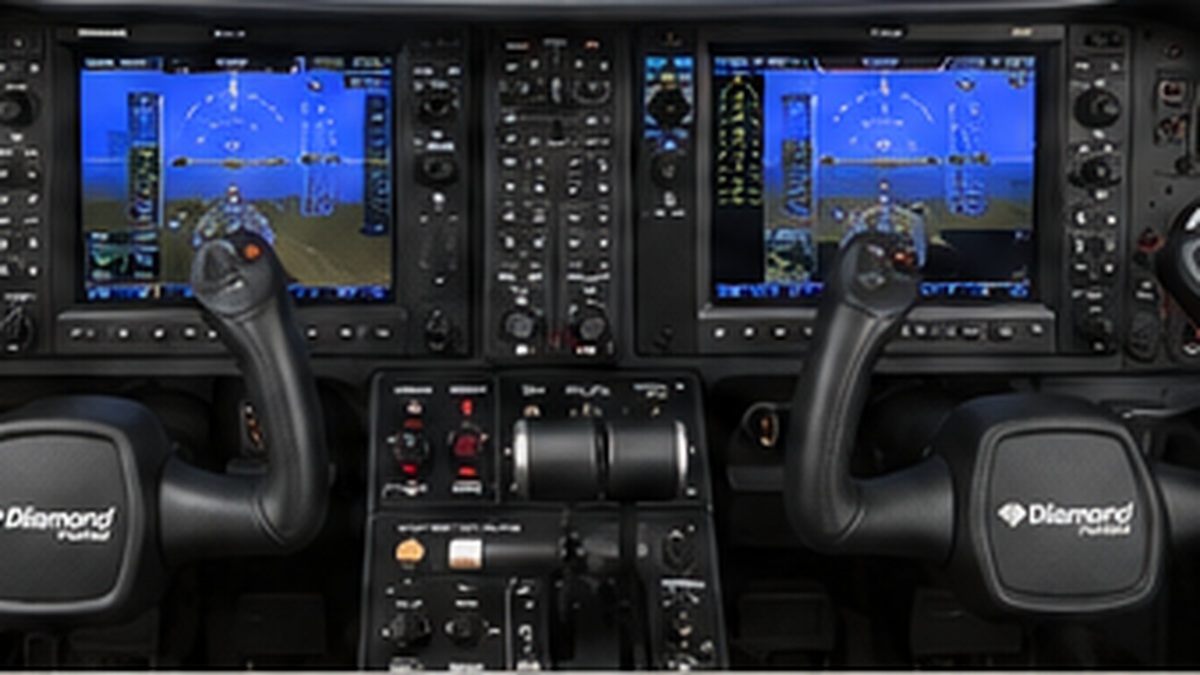
Shared Flight Controls & Avionics
Existing DA62 hardware that remains available in both aircraft configurations, including PFD/MFD displays, G1000 controls where reusable, autopilot controls, gear, rudder pedals, brakes and flight controls.
Kennis
2 itemsCurrent physical conversion scope is limited to two new removable construction units: 1. Phenom 300/300E Center Console 2. Phenom Systems Panel, optionally split into two physical panels Seat, sidestick/yoke and rudder pedals are outside the current scope. Shared or likely reusable: - magnetic compass - existing physical PFD display - existing physical MFD display - autopilot/AFCS controls where equivalent - landing gear handle where functionally suitable - cockpit structure - current flight controls for the initial conversion DA62-specific and normally INOP in Phenom mode: - existing G1000 audio panel, which is largely DA62-specific - DA62 de-ice panel - ECU and other DA62-specific controls - DA62-specific G1000 bezel functions unless a deliberate, understandable remapping proves useful Important distinction: reusing the G1000 display hardware does not imply that all G1000 bezel buttons become Phenom controls. Display surfaces and bezel controls are separate reuse decisions. The initial conversion must remain easy to switch back to a usable DA62 configuration. No simulator has been selected: compare MSFS 2024 + FSReborn Phenom 300E with X-Plane 12 + Aerobask Phenom 300.
Current design decision for reuse of existing DA62 cockpit hardware in Phenom 300E mode. This is a conversion-focused architecture, not a 1:1 Phenom rebuild, and items should be verified against the FSReborn Phenom before final hardware changes. Shared / reusable: - Magnetic compass: treat as shared unless later physical placement makes this impractical. - PFD and MFD LCD/display hardware: reuse as display surfaces for Phenom PFD and MFD. The existing G1000 bezel/button functions are not automatically shared; they are handled separately by aircraft profile. - Autopilot controls: reuse where equivalent functions exist, subject to control audit. - Landing gear handle: reuse if reliable Phenom gear commands and state readback are available. - Rudder pedals, toe brakes, cockpit structure and existing flight control input remain shared. DA62-specific or mostly DA62-specific: - Existing G1000 audio panel: keep physically as DA62 hardware. Phenom audio control is primarily via GTC; panel may remain INOP in Phenom mode unless selected buttons prove useful as optional shortcuts. - DA62 de-ice panel: keep DA62-specific. Do not create hidden Phenom meanings such as reusing a MAX LED for GPU status once the Phenom systems panel exists. - DA62-specific G1000 bezel controls remain DA62 functions by default. Selected encoders/buttons may later be remapped in Phenom mode if this improves usability without creating confusing hidden functions. Partially reusable: - MIP left: individual controls may be reused only when their physical function maps sensibly to the Phenom. A generic DA62 battery/avionics layout is not considered a Phenom electrical panel. - MIP right: gear handle is a strong reuse candidate; existing DA62 gear annunciation should not be assumed to be authentic or required for the Phenom. Replaced in Phenom mode: - Center console is replaced by a dedicated removable Phenom console. - A dedicated Phenom systems panel is added. - Initial Phenom avionics control uses one existing 7-inch touchscreen as a captain-side GTC. A second physical GTC is optional future expansion, not an initial requirement.