Configuratievoorstel, nog niet uitgevoerd: (1) MSFS 2024: FSLTL Traffic Base Models via FlyByWire Installer beschikbaar maken; FSLTL Injector niet parallel gebruiken; BATC blijft enige traffic-controller/injector. (2) X-Plane 12: Bluebell CSL-modellen volgens actuele BeyondATC X-Plane-documentatie installeren/activeren, zonder concurrerende traffic injectors. (3) Controleer relevante BATC-trafficinstellingen, AI-verschijning bij gates/in de lucht, taxi-bewegingen, liveries en prestatiebelasting, in beide sims eerst met DA62. (4) AIG AI Manager pas later evalueren als extra/alternatieve modelbibliotheek nodig blijkt. (5) ApronLife uitsluitend in MSFS 2024 optioneel testen als BATC plus FSLTL al goed werkt; controleer compatibiliteit, framerate en overlap met andere grondafhandeling/GSX. Geen aanschaftoezegging of installatiestatus. Leg resultaten en eventuele aanpassingen voor launcherprofielen vast. Zie besluit #232 en validatietaak #318.
Simulator Integration Framework
Keep functional cockpit controls independent from MSFS/X-Plane details and map them through simulator and aircraft profiles.
BeyondATC is de primaire ATC-kandidaat voor beide simulators (al aangeschaft), SayIntentions alleen als terugval wanneer BATC belangrijke functies mist; geen automatische SI-verlenging aannemen. Maak en voer een reproduceerbare testmatrix uit, te beginnen met de DA62 in MSFS 2024 en X-Plane 12; vervolgens Aerobask Phenom 300/X-Plane en FSReborn Phenom 300E/MSFS. Test per combinatie verbinding/plugincompatibiliteit, vliegplan via SimBrief, clearance/taxi/departure/arrival/approach, actieve baan, ATIS/METAR, simwind, QNH, zicht en tijdstempels. Gebruik standaard Live Weather (MSFS) / Real Weather (XP), test afzonderlijk een training-weather scenario met zichtbare ATIS-afwijking. Controleer exclusief BATC traffic zonder native ATC of concurrerende injectors; meet zichtbare AI en performance met beschikbare modelbibliotheken. Verifieer ATC/ATIS-brokerinterfaces daadwerkelijk voordat ze worden geïmplementeerd; ontwerp launcher-profiel en Weather/ATC Monitor met unknown/degraded indien geen bewijs. Leg alle beperkingen vast incl. G3000/GTC MSFS Phenom. Zie beslisitem #232 (vervangt eerdere specificatie #231). Nog niet live getest of afgerond.
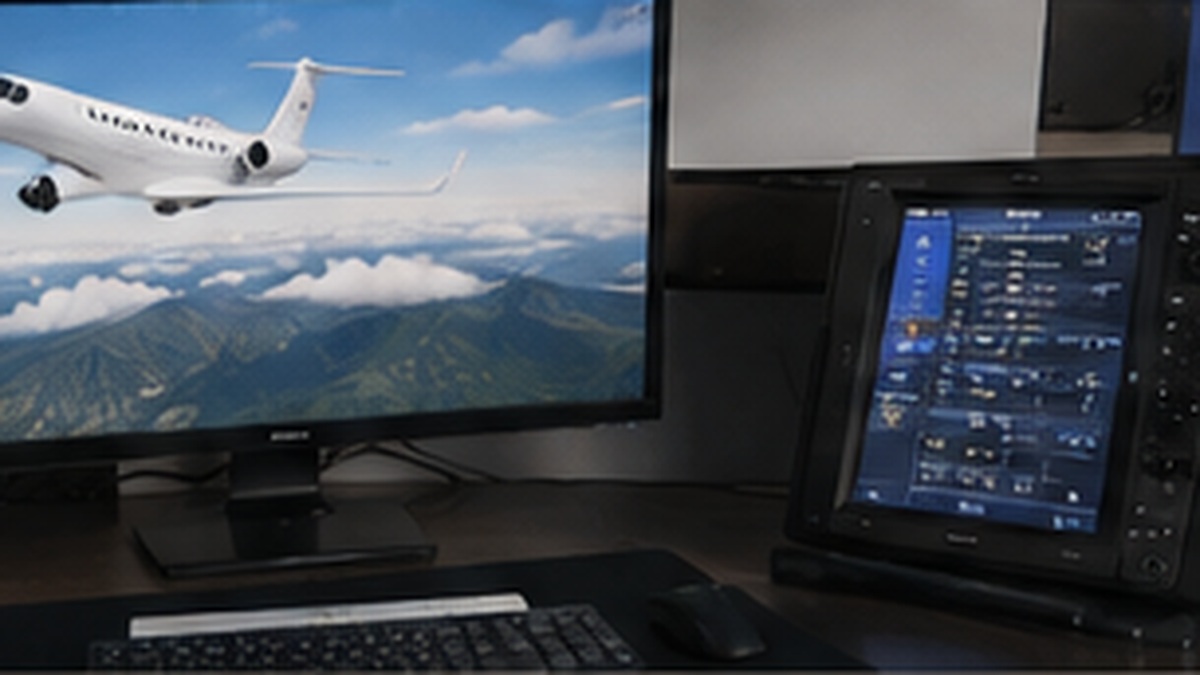
Verify both simulator paths on the existing cockpit displays. Aerobask/X-Plane 12: test captain PFD, center MFD and the GCU 477 2D popup or another useful avionics controller on the fixed 7-inch capacitive touchscreen. FSReborn/MSFS 2024: test captain PFD, center MFD and captain-side GTC on that same touchscreen. For both, record external pop-out behavior, touch input, focus, persistence, startup/reconnect behavior and any helper-tool dependency. A second GTC and copilot PFD are not initial requirements.
Design and implement the broker abstraction for multi-aircraft cockpit operation. Support at least `da62` and `phenom300e` profiles. Physical nodes should expose stable logical hardware controls; the active profile maps these to aircraft-specific simulator interfaces. DA62-only and Phenom-only controls must be muted/ignored outside their profile, while genuinely shared controls remain active with profile-specific bindings. Profile switching must not rewrite ESP32/node configuration. Detect the loaded aircraft where possible and provide a clear warning when the selected cockpit profile does not match it. Document how future aircraft profiles can be added.
Perform a complete FSReborn Phenom 300E control/interface audit before final hardware design. For each required cockpit control and indicator, determine: physical function, logical broker name, write method (standard SimConnect event, MSFS 2024 Input Event/B-event, SimVar set, LVar or other workaround), readable state/feedback, and whether the aircraft/system actually responds correctly. Include center console, GTC-related controls, electrical, fuel, bleed/ECS, hydraulics, ice protection, fire, gear and shared DA62 controls. Record unsupported or partially simulated functions explicitly rather than hiding them behind hardware workarounds.
Knowledge
4 itemsStatus: ontwerpbesluit / voorkeursconfiguratie d.d. 22 oktober 2026. Dit document actualiseert kennisitem #231; implementatie, compatibiliteit en live-acceptatie zijn niet voltooid. ## Doel: 4 ondersteunde combinaties, 1 cockpit-workflow - X-Plane 12 + Aerobask DA62 (G1000) - MSFS 2024 + DA62 (G1000 NXi) - X-Plane 12 + Aerobask Phenom 300 (aangepaste G1000 en GCU) - MSFS 2024 + FSReborn Phenom 300E (Prodigy Touch/G3000 en GTC) De FSReborn Phenom vraagt dus afzonderlijke avionics-/touchscreenconfiguratie; de bestaande G1000-hardware is niet zonder meer uitwisselbaar. Simulator- en add-onfuncties blijven via de brokerprofielen gescheiden van fysieke ESP/node-control-keys (zie kennis #53). ## Bijgesteld ATC-besluit - BeyondATC (BATC) is de eerst te testen en voorkeurs-ATC voor zowel MSFS 2024 als X-Plane 12. Gebruiker heeft BATC inclusief X-Plane-optie aangeschaft; de feitelijke werking, benodigde BATC-versie/licentie en plugincompatibiliteit moeten in de eigen setup worden geverifieerd. - SayIntentions (SI) is voorlopig géén standaard in de launcher en alleen alternatief/terugval bij tekortschietende BATC-functionaliteit. Huidige SI-periode loopt volgens gebruiker tot 27 oktober 2026; vooralsnog geen verlenging gewenst. Geen abonnement gewijzigd of opgezegd via dit besluit. - Vergelijk SI alleen gericht als BATC blokkeert of belangrijke functies mist; vermijd dubbele configuratie- en testinspanning. - Voor reguliere BATC-vluchten één actieve ATC-provider, één controller/traffic injector. Simulator-native ATC en concurrerende injectors uitschakelen om botsende instructies, verkeersdubbelingen en AI-bewegingen te voorkomen. - Behoud in data-/launcherontwerp een uitbreidbare ATC_PROVIDER-keuze (beyondatc primair, sayintentions optioneel/uitgeschakeld tot nodig), zonder SI als verplichte afhankelijkheid. - BATC-weergegevens/ATIS, toegewezen runway, grond-/verkeerslogica en ATC-functionaliteit moeten per simulator echt worden gevalideerd. Nog geen directe BATC API-koppeling met broker of ATIS-uitlezing aannemen. ## AI-traffic: modellen versus besturing - MSFS 2024: start met FSLTL Traffic Base Models, geïnstalleerd via FlyByWire Installer. BATC beheert de AI-traffic injectie; FSLTL's eigen injector NIET parallel starten. FlyByWire A320/A380 zelf zijn geen vereiste voor DA62/Phenom-cockpit. - AIG (Alpha India Group) AI Manager is een latere, optionele aanvullende/alternatieve modelbibliotheek, niet nodig in de eerste inrichting. Niet parallel extra verkeersinjectie activeren. - X-Plane 12: start met Bluebell CSL-modelbibliotheek, gericht op de actuele BATC X-Plane instructies; X-CSL of Traffic Global enkel als later aantoonbaar zinvol en compatibel. Ook hier maximaal één actieve traffic-controller/injector. - MSFS-only optioneel: ApronLife voor geanimeerde grondservices van geparkeerde AI-toestellen; pas na stabiele BATC/FSLTL-tests, en alleen als compatibel. Test performance en overlap met andere groundservices; voor uitgebreidere visuele services kan GSX Pro nodig zijn, geen aankoopbesluit. - Geen aanname dat MSFS modelbibliotheken in X-Plane werken; deze blijven simulatorgebonden. ## Weerbeleid - Normaal: MSFS 2024 ingebouwde Live Weather; X-Plane 12 ingebouwde Real Weather. Voorlopig geen extra weather engine/injector. - De werkelijke sim-atmosfeer is leidend voor vliegen; ATIS/METAR van BATC kan afwijken. Weersverwachting/ATIS mag niet stilzwijgend simulatorweer overschrijven. - Flight Time/Daylight los van live-weer tijdstempel configureerbaar indien technisch ondersteund; controleer actual versus simulator time. - Apart Training-weather profiel met handmatig weer; duidelijke waarschuwing dat BATC-ATIS en runway-advies dan kunnen afwijken. Geen garantie van ATC-overeenstemming. - Active Sky XP 12 (en eerdere mogelijke SI-integratie) blijft optioneel voor later bij aantoonbare meerwaarde; eerst standaardweermotoren testen. ## Launcher, broker, vluchtplanning - Eén sessieprofiel: SIMULATOR, AIRCRAFT, ATC_PROVIDER (default beyondatc), WEATHER_MODE (live default of training), TRAFFIC_MODE, eventuele MSFS-only groundservice optie. - Launcher valideert ondersteunde combinatie, exclusiviteit ATC/injector, brondata, simulatorconnectie, geladen vliegtuig en node-sync. Geen 'ready' bij ontbrekend bewijs; gebruik unknown/degraded en zichtbare warnings. - Weather/ATC Monitor (nog te ontwerpen): uitlezen werkelijk weer via X-Plane DataRefs / MSFS geschikte variabelen en ATC-data uitsluitend via aantoonbaar ondersteunde interface; tonen bron, actualiteit, wind, QNH, zicht en runway-verschillen. - SimBrief als gemeenschappelijke vluchtplanningsbron; stem Navigraph AIRAC af waar beschikbaar. - Start met DA62-tests in MSFS 2024 en X-Plane 12, breid uit met Aerobask Phenom en FSReborn Phenom/G3000. Leg prestatie-/compatibiliteit-/trafficbevindingen vast vóór live acceptatie. Uitvoering: testtaak #318 is de validatiebasis. Nieuwe modelbibliotheken/ApronLife zijn voorstellen, niet geïnstalleerd door deze registratie.
Status: ontwerpafspraken en voorgestelde werkwijze (22 oktober 2026), nog niet geïmplementeerd of integraal getest. Het doel is één start- en bedieningsworkflow voor twee simulators en twee vliegtuigfamilies, niet vier onafhankelijk onderhouden setups. ## Ondersteunde combinaties (doelmatrix) 1. X-Plane 12 + Aerobask DA62 (G1000) 2. MSFS 2024 + DA62 (G1000 NXi) 3. X-Plane 12 + Aerobask Phenom 300 (aangepaste G1000 met GCU) 4. MSFS 2024 + FSReborn Phenom 300E (G3000/Prodigy Touch met GTC) Belangrijke beperking: de FSReborn 300E gebruikt G3000 en niet de huidige G1000-bediening. Voor die combinatie is een apart avionics-/touchscreenprofiel nodig; de bestaande G1000-hardware is niet zonder meer gelijkwaardig. De Phenom-producten zijn bovendien 300 en 300E, geen identieke add-ons. ## Weer: één principe, per simulator een eigen uitvoering - Standaardprofiel 'Live Flight': X-Plane 12 ingebouwde Real Weather; MSFS 2024 ingebouwde Live Weather; externe weermotoren aanvankelijk uit. - Laat in normale vluchten de simulator bepalen welke atmosfeer daadwerkelijk wordt gevlogen. Voorkom twee gelijktijdige weather injectors. - Baseer de weerdata waar mogelijk op actuele waarnemingen, los van eventueel aangepast daglicht/vluchttijdstip; test expliciet het onderscheid tussen werkelijke tijd, gesimuleerde tijd en weather timestamp in beide simversies. - Tweede profiel 'Training': handmatig ingesteld weer voor gestructureerde oefeningen. ATIS/ATC mag dan afwijken van het gesimuleerde weer; waarschuw daarvoor. - Real Weather/Live Weather weersmodellen kunnen onderling en van openbare METAR afwijken. Exacte gelijkheid van wind, wolken of QNH wordt niet beloofd. - Active Sky XP 12 met SayIntentions is een mogelijke latere optie bij aantoonbare synchronisatieproblemen; integratie, versiecompatibiliteit en meerwaarde eerst verifiëren. Geen aankoopbesluit. ## ATC, verkeer en vluchtplanning - De launcher biedt per sessie keuze uit SayIntentions of BeyondATC, onder voorbehoud van bewezen ondersteuning voor gekozen simulator en actuele softwareversies. - Maximaal één actieve externe ATC-provider en één traffic injector / AI-traffic-eigenaar. Geen dubbele ATIS/traffic-afhandeling; standaard ingebouwde ATC uit wanneer externe ATC wordt gebruikt. - ATIS, METAR, QNH en baanadvies uit de actieve ATC-provider zijn operationele referenties maar geen autoritatieve bron voor de daadwerkelijke simulatoratmosfeer. Bij afwijkingen zichtbaar waarschuwen; niet stilzwijgend simulatorweer overschrijven. - De beschikbaarheid van SayIntentions-weerdata via een publieke API (bijv. getWX), BeyondATC-connectiviteit en traffic-injectie per simulator moet per versie worden bevestigd; een API die niet bestaat niet als reeds geïntegreerd voorstellen. - SimBrief als gemeenschappelijk flightplan-startpunt. Navigraph/AIRAC zoveel mogelijk consistent in beide simulators, vliegtuig-add-ons en ATC; relevante afwijkingen in het sessierapport zichtbaar maken. ## Launcher / broker-contract (voorgesteld) - Een sessieprofiel combineert SIMULATOR (xplane12 | msfs2024), AIRCRAFT (da62 | phenom300_xp | phenom300e_msfs), ATC_PROVIDER (sayintentions | beyondatc), WEATHER_MODE (live | training) en optioneel TRAFFIC_PROVIDER. - De launcher valideert combinatie, startvolgorde, actieve provider(s) en beschikbaarheid. Geen green 'ready' zonder aantoonbare synchronisatie/verbinding; gebruik unknown/degraded bij ontbrekend bewijs. - De cockpitbroker leest waar technisch mogelijk werkelijk gesimuleerde condities (X-Plane DataRefs / MSFS SimConnect of passende aircraft interface), inclusief lokale wind, QNH, zicht, tijd en positie; ATIS/METAR van externe bron via ondersteunde interface. - Een centrale Weather/ATC Monitor toont simweer tegenover ATIS: bron, timestamp/leeftijd, wind, QNH, zicht en toegewezen/voorgestelde baan. Geef per veld bron en eventuele afwijking weer; geen aannames dat ATC en sim gelijk zijn. - Simulator- en vliegtuigafhankelijke bindings blijven in brokerprofielen; ESP32-nodes behouden stabiele functionele sleutels. Profielwissel vereist niet het herflashen van nodes. - Simulator-/aircraft mismatch en unsupported combinaties leveren expliciete waarschuwingen op. Voor Phenom 300E/MSFS vereist de G3000/GTC een afzonderlijke display-/inputvalidatie (aansluiten op bestaande displaytaak). ## Volgorde en acceptatie 1. Begin met DA62 in X-Plane en MSFS (beide G1000-familie), daarna X-Plane Phenom 300, vervolgens MSFS Phenom 300E. 2. Test minimaal éénzelfde vliegveld en tijdstip per simulator met real weather; leg simwind, QNH, zicht, ATIS, actieve baan, bron en timestamps vast. 3. Controleer live-weather-update tijdens vlucht, daglicht afwijkend van huidige tijd, en training weather met externe ATIS. 4. Test SayIntentions en BeyondATC afzonderlijk; bevestig connectorstatus en traffic exclusiviteit. 5. Documenteer de werkelijke bevindingen en beperkingen alvorens providers, profielen of modules als productiegereed te markeren. Relatie met bestaande kennis: aanvulling op 'Simulator-independent broker architecture for DA62, Phenom 300 and 300E' (kennis 53), die voor hardware-key en profieldetails leidend blijft.
ESP nodes must contain no MSFS events, LVars, X-Plane commands/datarefs or other simulator-specific implementation details. Nodes expose stable functional cockpit keys; the broker translates these through simulator and aircraft profiles. Examples: - cockpit.gear.handle - cockpit.thrust.left - phenom.electrical.batt1 Do not expose simulator-bound identities such as msfs.k.*, msfs.lvar.* or sim/cockpit/... from the nodes. Required profiles include at least: - DA62 - Aerobask Phenom 300 / X-Plane 12 - FSReborn Phenom 300E / MSFS 2024 The existing broker-to-node transport layer is designed elsewhere and is assumed to be event-driven; this project does not redesign that transport. Its concern is the physical control inventory and stable functional key contract. Simulator/model differences should be resolved in broker profiles wherever possible.
Use one cockpit broker with aircraft-specific profiles rather than rewriting ESP32/node configurations when switching aircraft. Architecture: - Maintain at least two broker profiles: `da62` and `phenom300e`. - Physical nodes expose stable, hardware-oriented logical control identities. Aircraft profiles translate those identities to simulator-specific commands, Input Events/B-events, SimVars, LVars or other mechanisms. - DA62-only controls/nodes are muted or ignored while the Phenom profile is active. - Phenom-only controls/nodes are muted or ignored while the DA62 profile is active. - Truly shared controls remain active in both profiles with aircraft-appropriate bindings. - Do not rewrite or flash node configuration when changing aircraft; switching occurs at the broker binding/profile layer. - The broker should detect the loaded aircraft where possible and warn when the selected cockpit profile does not match the loaded simulator aircraft. - Prefer one ESP32 per physically removable module. If a systems panel is one compact physical assembly, one ESP32 plus local I/O expanders is acceptable; split modules should normally have separate controllers/connectors. Implementation principle: Keep hardware independent from specific MSFS implementation details. For example a physical function may be exposed as a logical control such as `GEAR_HANDLE`, `ENGINE_START_LEFT` or `THRUST_LEVER_LEFT`; the active aircraft profile decides which simulator interface implements it. Before final hardware is built, perform a Phenom control audit to determine for every required physical input/output: command method, readable state, feedback availability and any simulator/model limitations.